KnurlPad turns the physical edges of your Mac trackpad into tactile controls. Rest two fingers on an edge, slide, and feel a haptic detent on every step — like a hidden dial machined into the glass.
For anyone who lives on a laptop — videos, long docs, code, music — and wants the controls under the hand that's already on the trackpad.
Land two fingers just inside an edge, then move in its direction. A corner-aware router picks a single control per landing, so nothing ever fires twice.
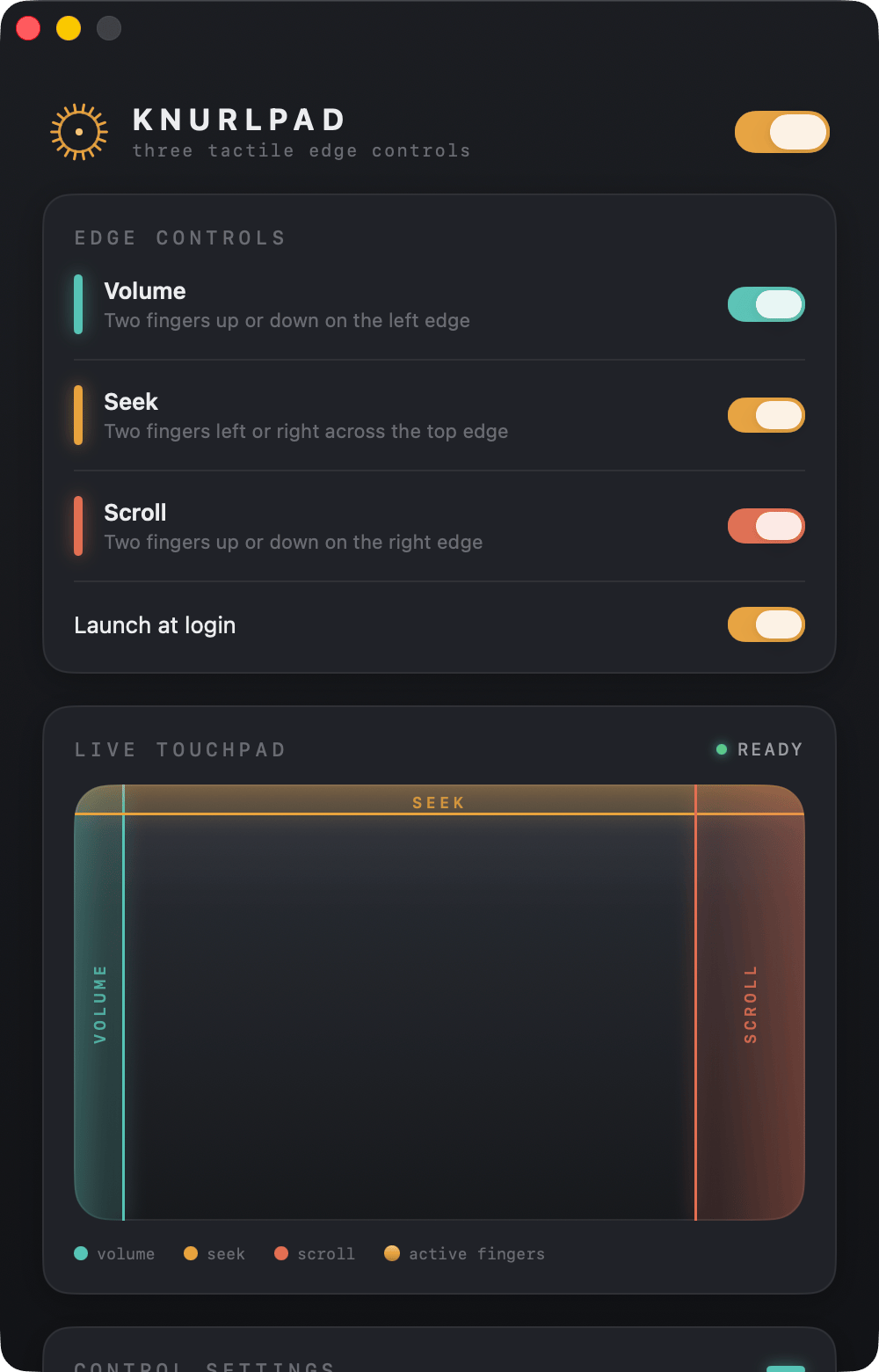
Slide two fingers up or down to raise and lower system volume — a real dial where there was never one.
Slide left or right to scrub the frontmost video — KnurlPad sends the player its own arrow-key seek shortcuts.
Slide up or down to fly through long pages. Once it's moving, drop to one finger and keep going.
Slide two fingers left or right to dim or brighten your display, with a tactile click on every step.
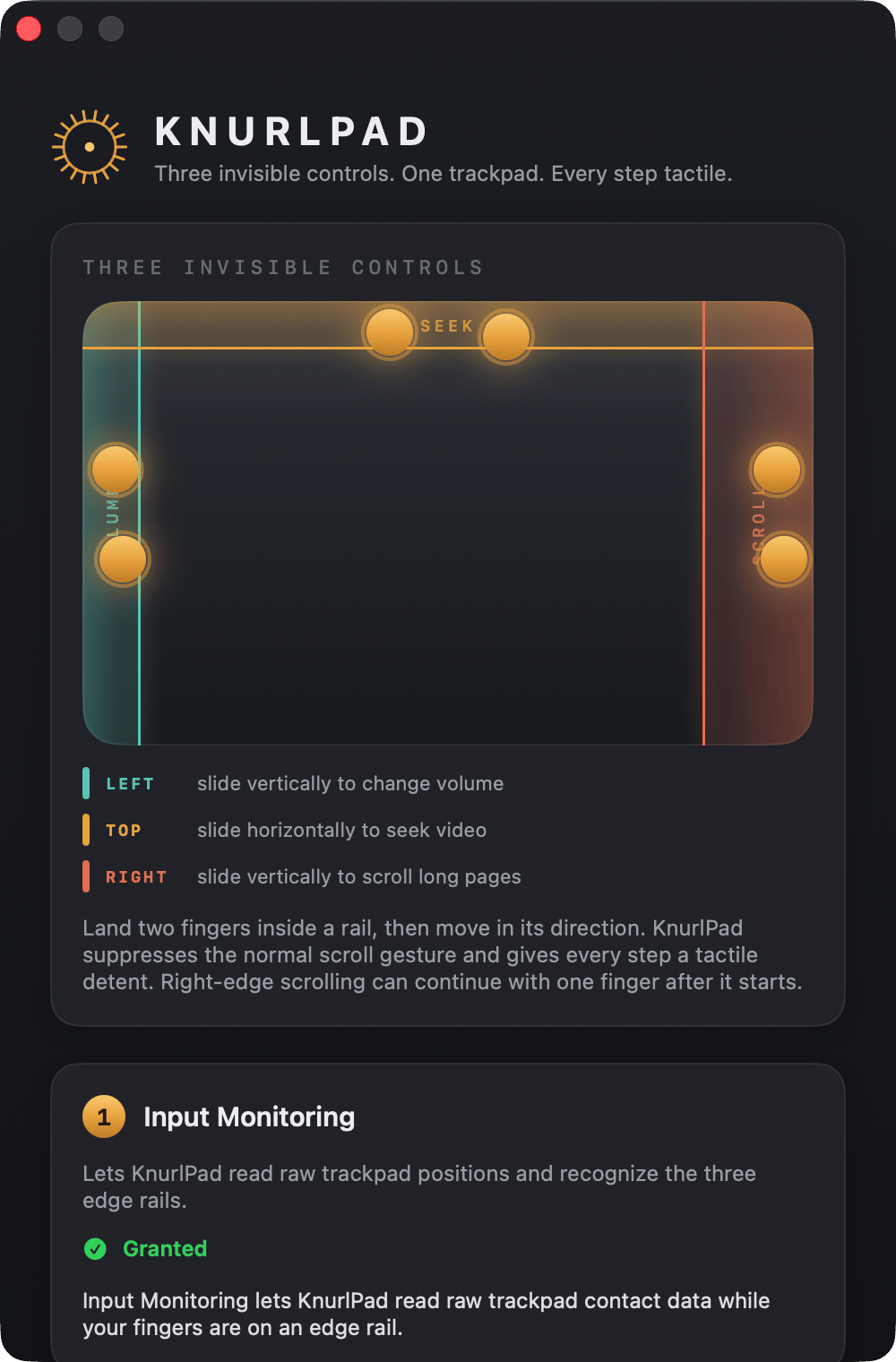
The whole point isn't just the gesture — it's the ratchet. Each detent fires the same Force Touch actuator behind Apple's own trackpad click, spaced by finger travel so it feels consistent at any speed.
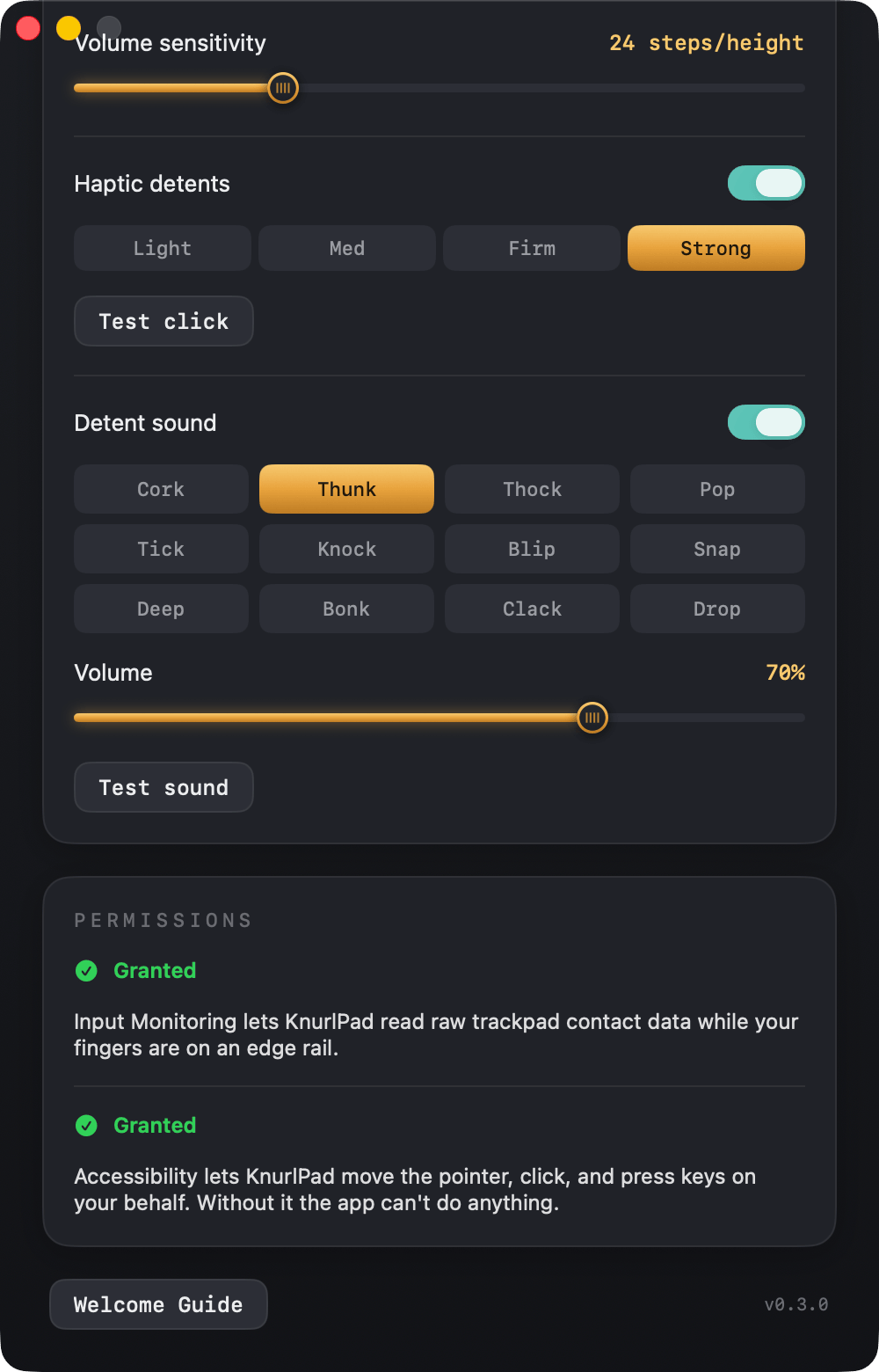
Every step pulses the trackpad's Force Touch actuator — the same hardware click Apple uses. Pick the strength: Light, Med, Firm, or Strong.
An optional synthesized click on every notch — Cork, Thunk, Thock, Pop and eight more — tuned to sound like it comes from inside the chassis. No audio files, all procedural.
Volume, Seek, Scroll, and Brightness each keep their own size, sensitivity, haptic strength, and sound. Let scroll stay silent while volume clicks firmly.
A single raw-trackpad state machine resolves the corners by movement direction, so a top-left landing never fires volume and seek at once.
Volume, Seek, and Brightness require your fingers to land on the very perimeter, and a normal two-finger scroll drifting sideways is left alone. Strict landing zones, no false triggers.
Right-edge scrolling begins with two fingers, then you can lift to a single finger and keep coasting — with momentum, like the real thing.
Buy on Gumroad, open the DMG, and drag KnurlPad to Applications. It's signed & notarized, so it opens with a normal double-click — no Gatekeeper warning.
A first-run guide walks you through two toggles: Input Monitoring to read the trackpad and Accessibility to send the volume, seek, scroll, and brightness events. That's all it asks for.
That's it. It lives quietly in the menu bar — toggle the whole app or any single rail, tune the feel, or turn on Launch at Login from the crown.
An app that reads raw finger positions and needs Accessibility owes you a straight answer about what it does with that.
macOS has no built-in trackpad volume gesture — normally you reach for the function-row keys or the menu-bar slider. KnurlPad adds one: rest two fingers on the far-left edge of the trackpad and slide up or down. Each step fires a Force Touch haptic click, so it feels like turning a physical dial.
Yes. Land two fingers on the top edge and slide left or right. KnurlPad sends the frontmost video player its normal arrow-key seek shortcuts, so you scrub YouTube, a movie, or a lecture without touching the keyboard.
It's built not to. Each rail has a strict landing zone, and Volume and Seek default to edge-only triggering — your fingers must land on the very perimeter. A normal two-finger scroll that drifts toward an edge is left alone, and a corner-aware router only ever picks one control per landing.
Real ones. KnurlPad drives the same Force Touch actuator that makes your trackpad "click," pulsing it once per detent. You choose the strength per rail, and can add an optional synthesized detent sound (twelve voices) or turn either off.
To read raw finger positions and fire Force Touch haptics, KnurlPad uses Apple's private multitouch framework and needs Input Monitoring plus Accessibility. App Store sandboxing forbids all of that — so an app like this can only ship directly. Selling it via Gumroad is the only way it can exist.
A built-in Multi-Touch trackpad (any modern MacBook) or an external Magic Trackpad. The haptic detents need Force Touch hardware, which every recent trackpad has.
One-time. $6.99, yours to keep, no subscription and no account.
macOS 14 (Sonoma) or later. It's a universal binary, so it runs natively on both Apple Silicon and Intel Macs.
All sales are final — no refunds. If you run into a bug, email me and I'll make it right.
Quit it from the menu-bar crown, then drag KnurlPad from Applications to the Trash. To also clear the permissions, remove it from System Settings → Privacy & Security → Accessibility and Input Monitoring. It leaves nothing else behind.
Email martini-doubler7g@icloud.com and I'll get back to you.
All four hiding in the edges you already touch. $6.99, one time — signed, notarized, universal, and nothing ever leaves your Mac.
From the developer of Scroll Elevator · macOS 14+ · v0.4.0
 KnurlPad