The folder is open in Finder right now—so why are you re-navigating to it from Documents, again, inside a save dialog?
When any app shows an Open or Save dialog, PathPal pops a panel beside it with your open Finder windows, favorites, and recent folders. Click one—or hit ⌃⌥↩—and the dialog jumps straight there.
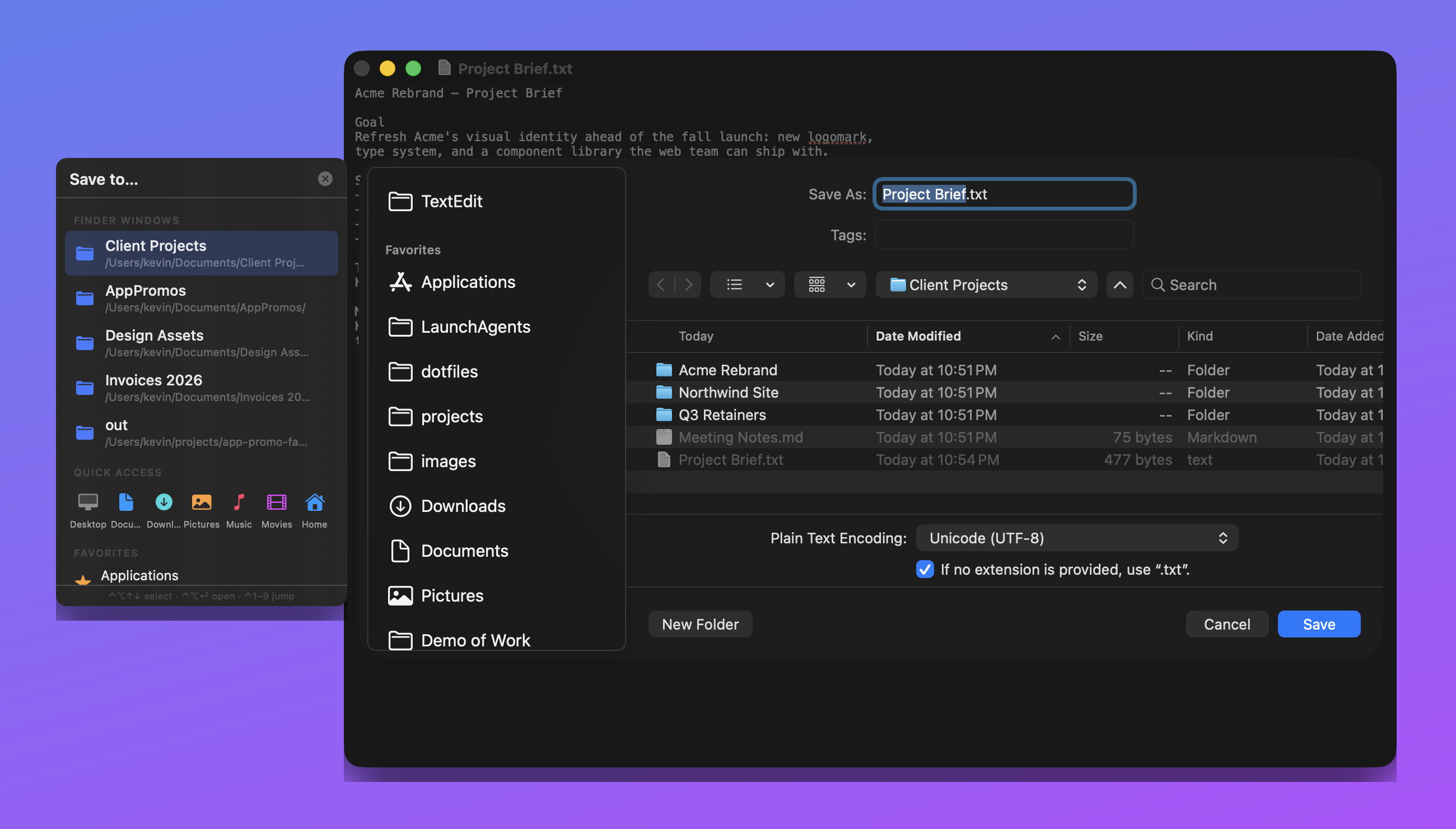
A real save: the dialog opens in the wrong place, the panel appears beside it, arrow keys pick a folder, and the dialog jumps.
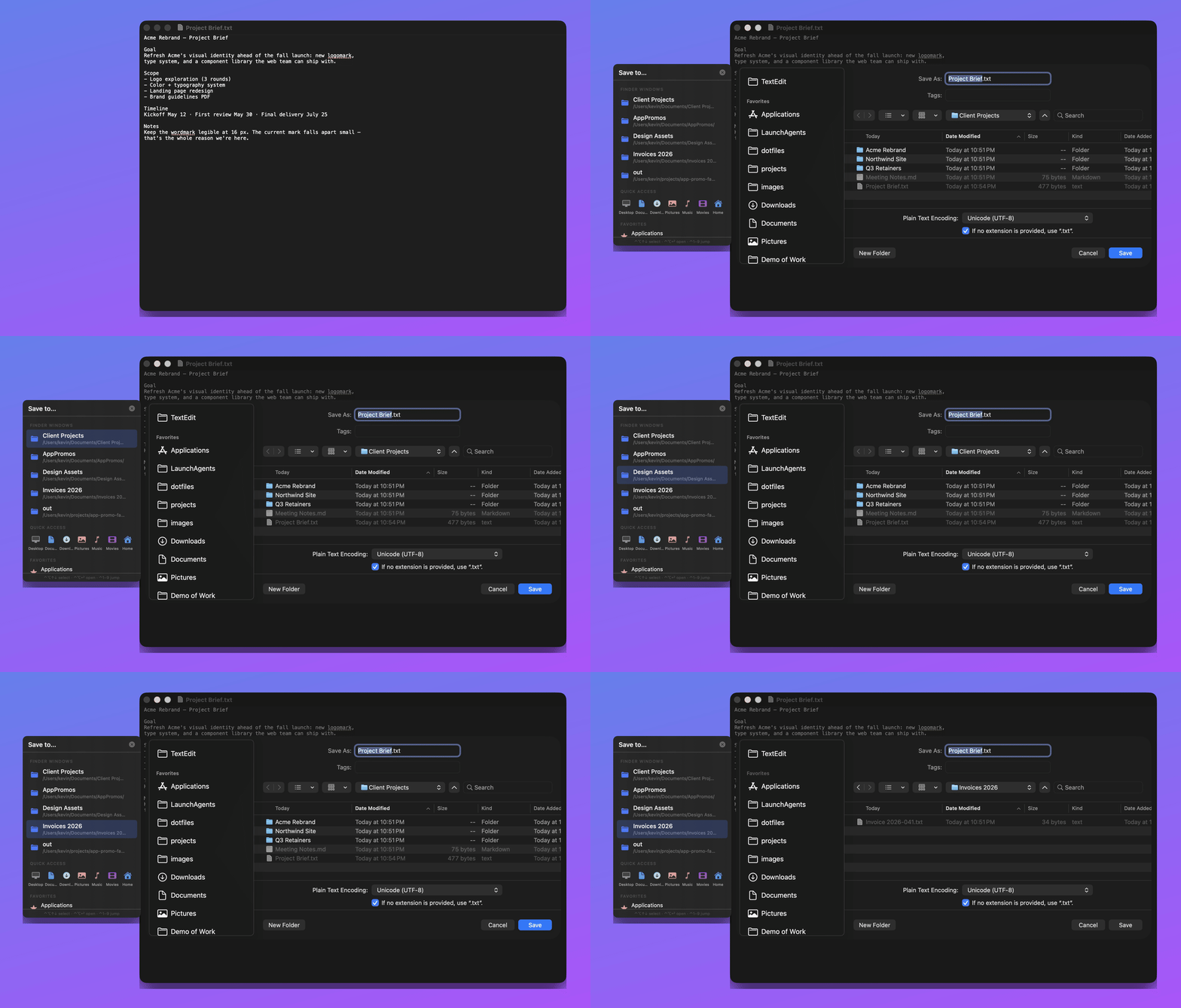
Everything is aimed at the same pain: getting files where they belong without clicking through the folder tree again.
Your open Finder windows glow through from behind the dialog, each a different color. Click any glowing window and the dialog teleports straight to its folder—the folder was on screen the whole time. No list to read, no folder tree to climb.
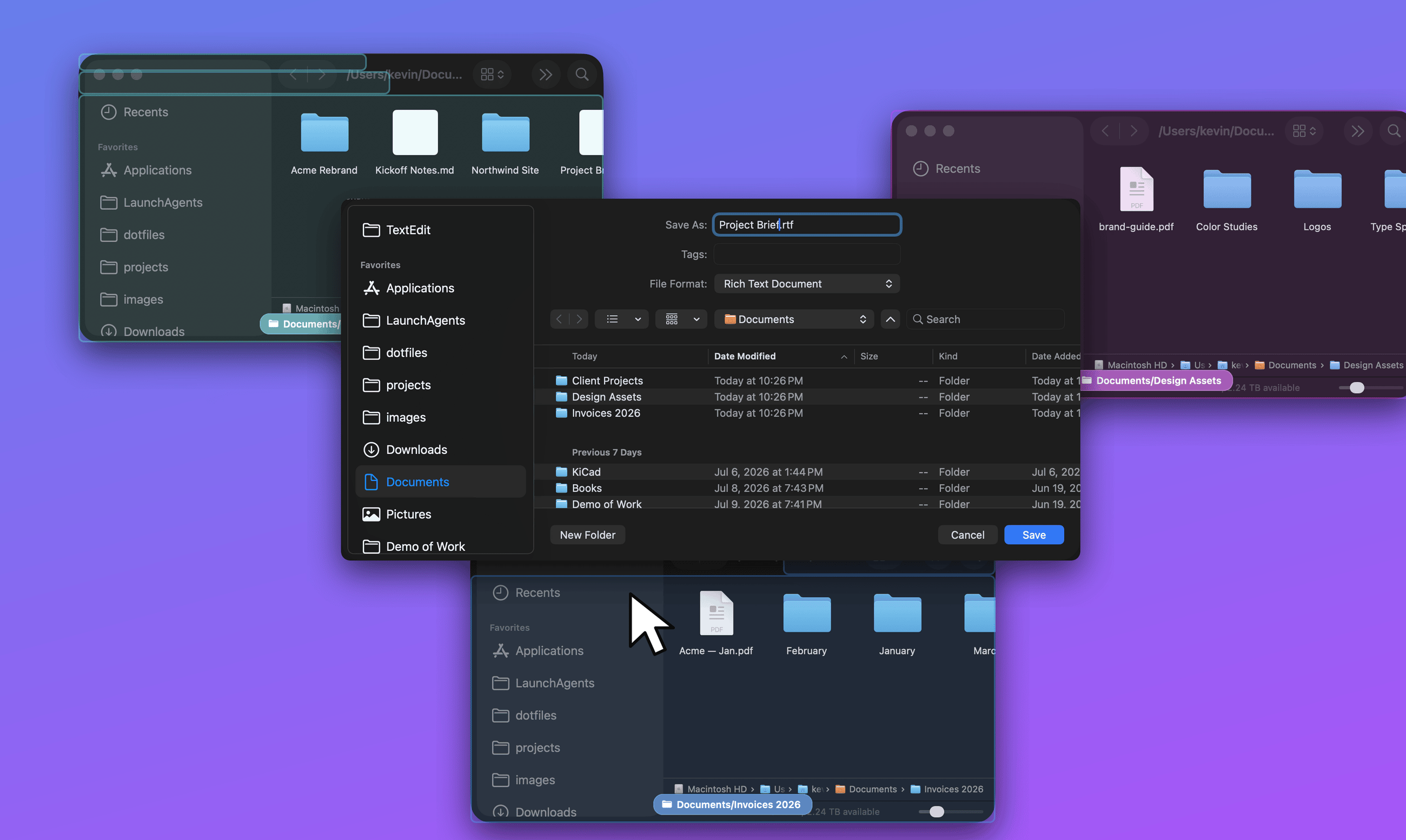
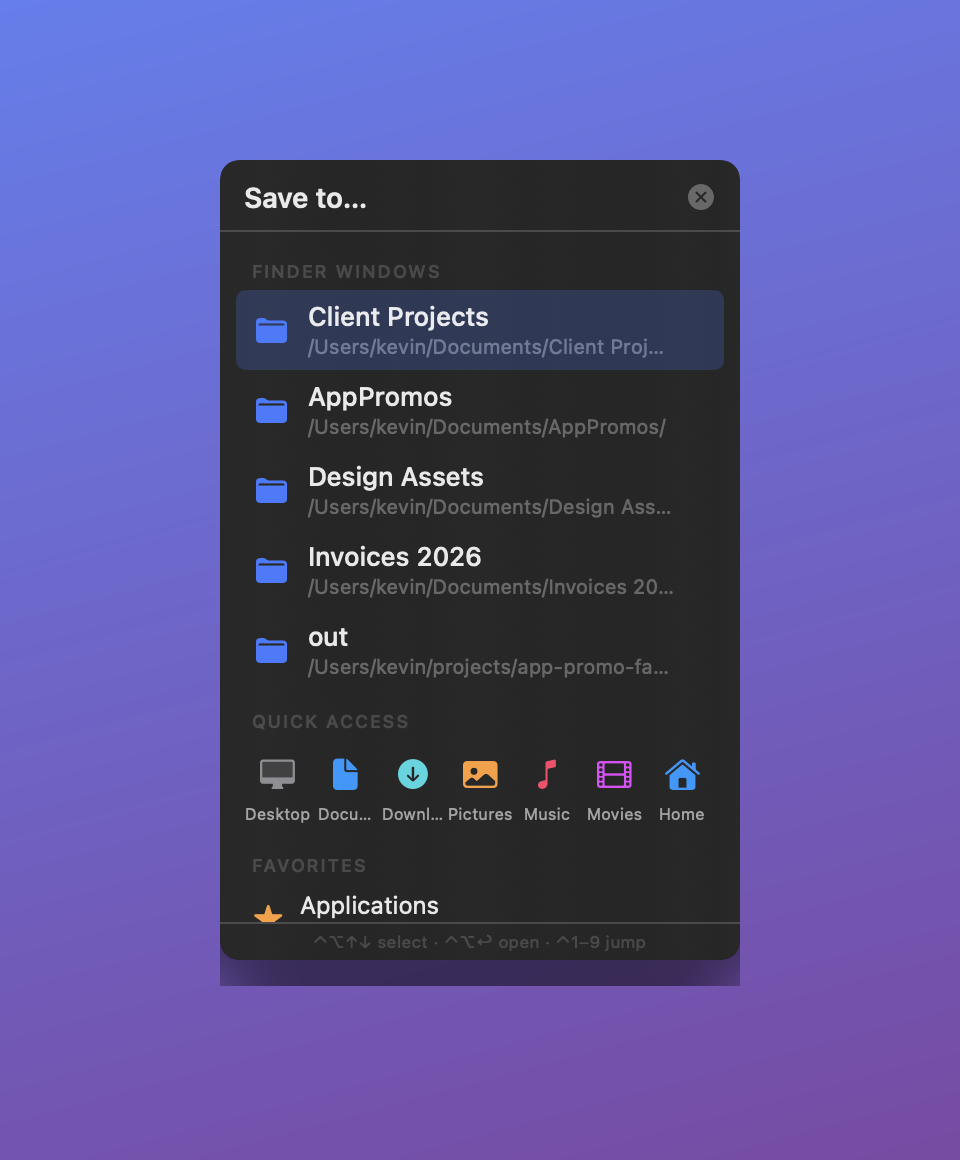
Open Finder windows, Quick Access, sidebar favorites, and recent folders beside every Open/Save dialog. One click and the dialog is there.
⌃⌥↑⌃⌥↓ select, ⌃⌥↩ opens, ⌃1–9 jumps. Your hands never leave the keyboard mid-save.
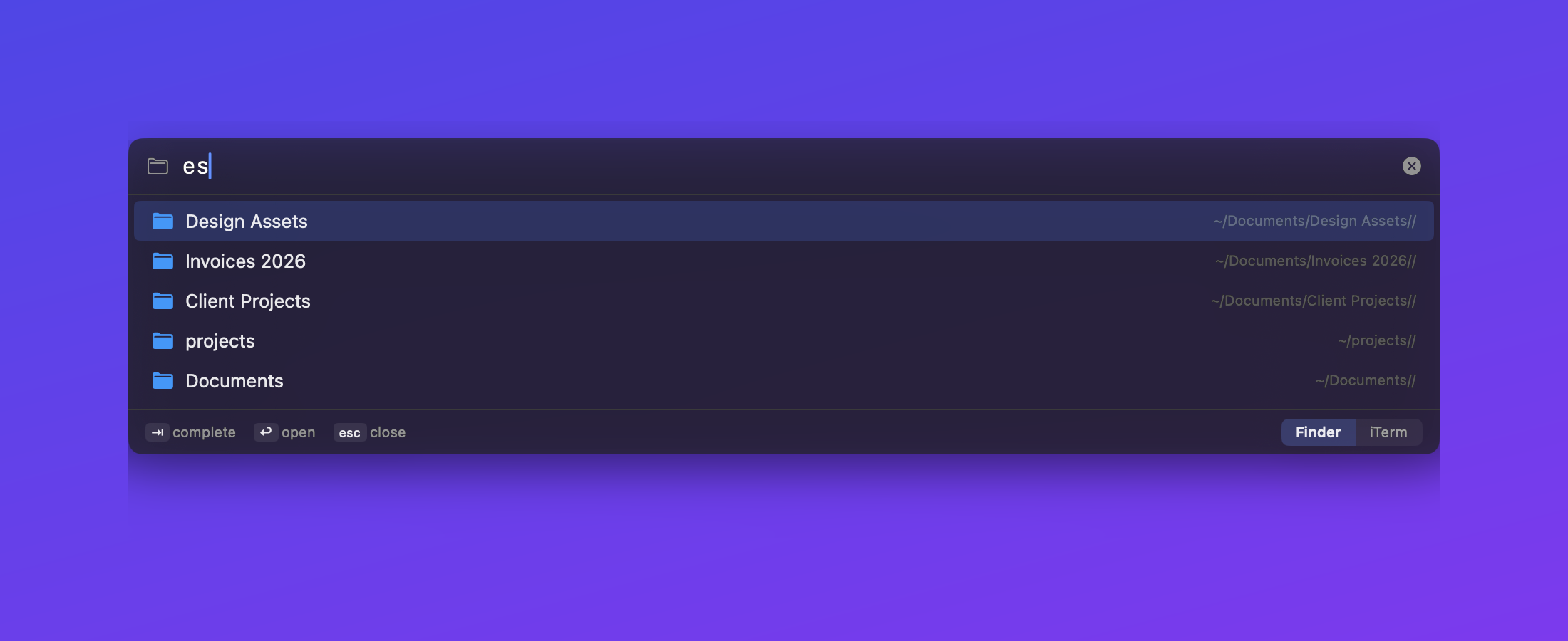
A Spotlight-style path bar for Finder and dialogs with fuzzy completion—“fbm” finds folder-buddy-mac-app. Tab completes, Return opens.
Not just windows—click the empty desktop behind the dialog and it jumps to your Desktop folder. Right-click any highlight to hide just that one.
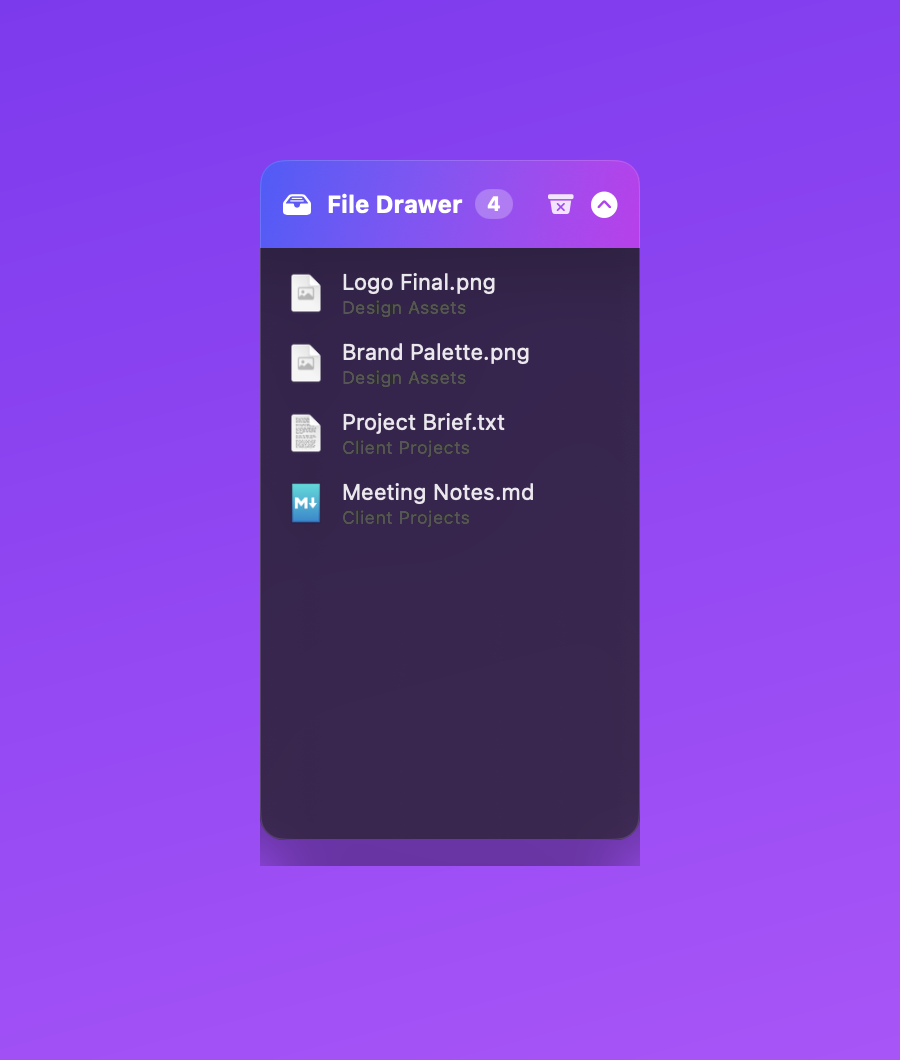
Drag files onto the floating drawer to park them; drag them back out into Finder, dialogs, or any app as real files. They persist across restarts.
Opt-in: ⌘↩ opens the selected folder, ⌫ goes up a level, F2 renames—keyboard-first filesystem browsing.
Buy on Gumroad, open the DMG, drag PathPal to Applications. Signed and notarized—no Gatekeeper warnings.
A first-run checklist walks you through Accessibility (drive the dialogs) and Finder automation (read window folders). Optional: Full Disk Access for sidebar favorites.
That's it. The panel appears next to your next save dialog. PathPal lives in the menu bar—no Dock icon, launches at login if you want.
An app that needs Accessibility owes you a straight answer about what it does with it.
macOS save dialogs open in the last folder that app used—usually not where this file should go. PathPal fixes that: when any Open or Save dialog appears, a panel pops up beside it listing your open Finder windows, favorites, and recent folders. Click one—or press ⌃⌥↩—and the dialog jumps straight there.
Yes—it's one of PathPal's best tricks. While a dialog is up, PathPal highlights every open Finder window in its own color, right through the dialog. Click any highlighted “shadow window” and the dialog jumps to that folder—no list, no folder tree. Click the bare desktop to send it to your Desktop.
Yes. It covers the core job—sending Open/Save dialogs to the folder you actually want—for a one-time $14.99 instead of $34.95. It adds a ⌘L go-to-folder bar with fuzzy matching, a floating file drawer, and keyboard-only navigation. DFX is a fine, mature product with more knobs; PathPal is the focused version with public source.
Watching for dialogs and driving them requires Accessibility access and Finder scripting, which App Store sandboxing forbids. Apps in this category can't ship there—so PathPal is sold directly via Gumroad, signed and notarized by Apple.
Accessibility—to detect dialogs and set their folder. Automation (Finder)—to read which folders your Finder windows show. Full Disk Access—optional, only to read the Finder sidebar's favorites. It never reads document contents, logs keys, or records the screen.
No. No analytics, no telemetry, no account. The only network access is the Sparkle update check.
Any app using the standard macOS Open/Save panels—TextEdit, Pages, Pixelmator, VS Code, browser save dialogs, and most Mac apps. Both window-style and sheet-style dialogs are detected.
Yes: ⌃⌥↑⌃⌥↓ move the selection, ⌃⌥↩ opens it, ⌃1–9 jump to a row. ⌘L opens the go-to-folder bar in dialogs and Finder. Optional Finder keys: ⌘↩ open folder, ⌫ up a level, F2 rename.
One-time. $14.99, yours to keep, no account. Updates arrive in-app via Sparkle.
macOS 14 (Sonoma) or later. Universal binary—native on Apple Silicon and Intel.
All sales are final—no refunds. If you hit a bug, email martini-doubler7g@icloud.com and I'll make it right.
Quit PathPal from the menu bar, drag it from Applications to the Trash, and remove its entries under System Settings → Privacy & Security if you like. It leaves nothing else behind.
Default Folder X charges $34.95 for this job. PathPal does it for $14.99, once—signed, notarized, universal, and the source is public.
macOS 14+ · universal · v1.0.2 · in-app updates via Sparkle