Featherdown opens .md files already rendered, previews them in Finder with a tap of Space, and speaks your Obsidian vault — in a 1.9 MB download.
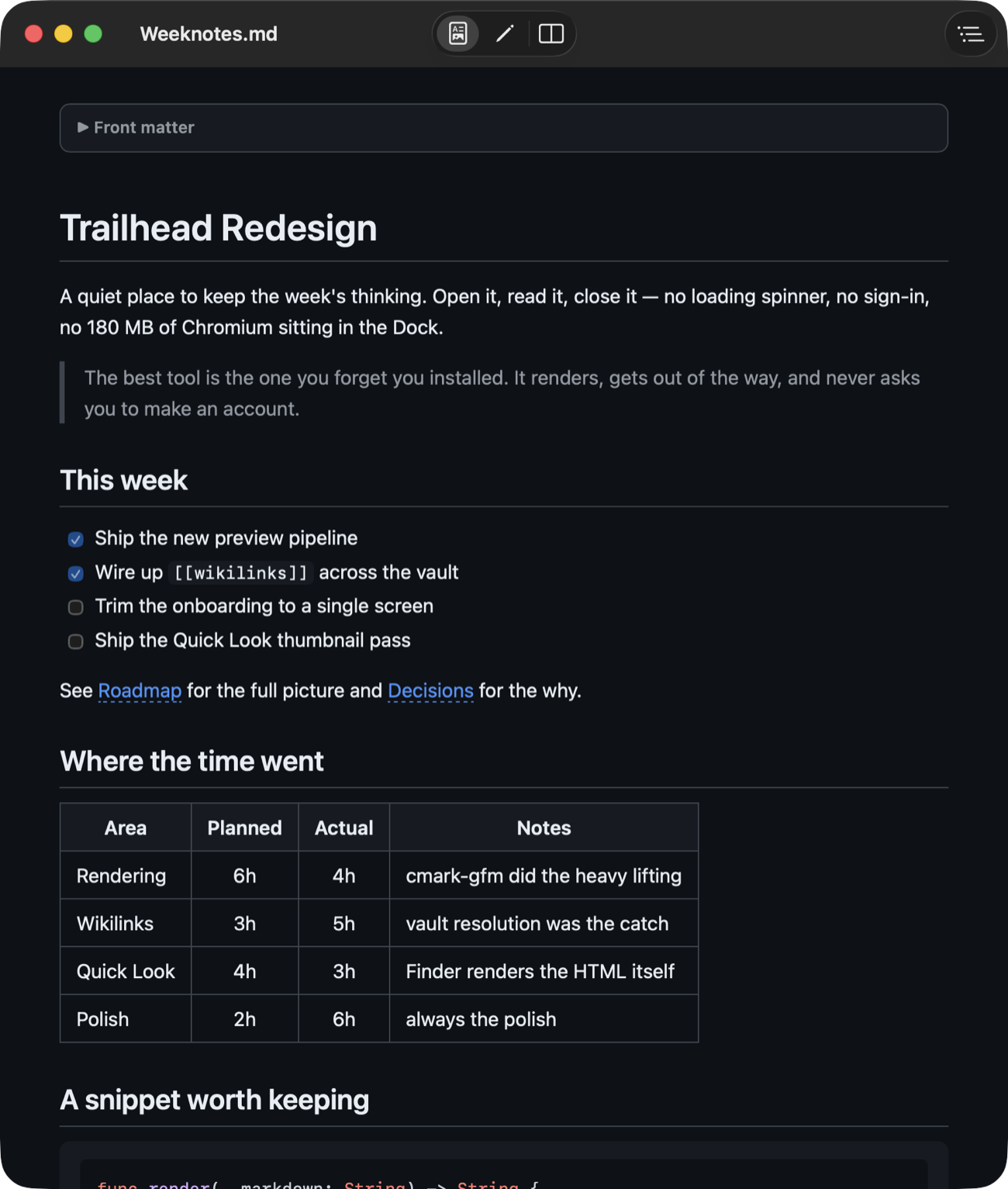
Featherdown installs a Quick Look extension, so any .md file previews rendered right inside Finder — headings, tables, task lists, syntax-highlighted code. No app to open, no window to manage. Just select and tap Space.
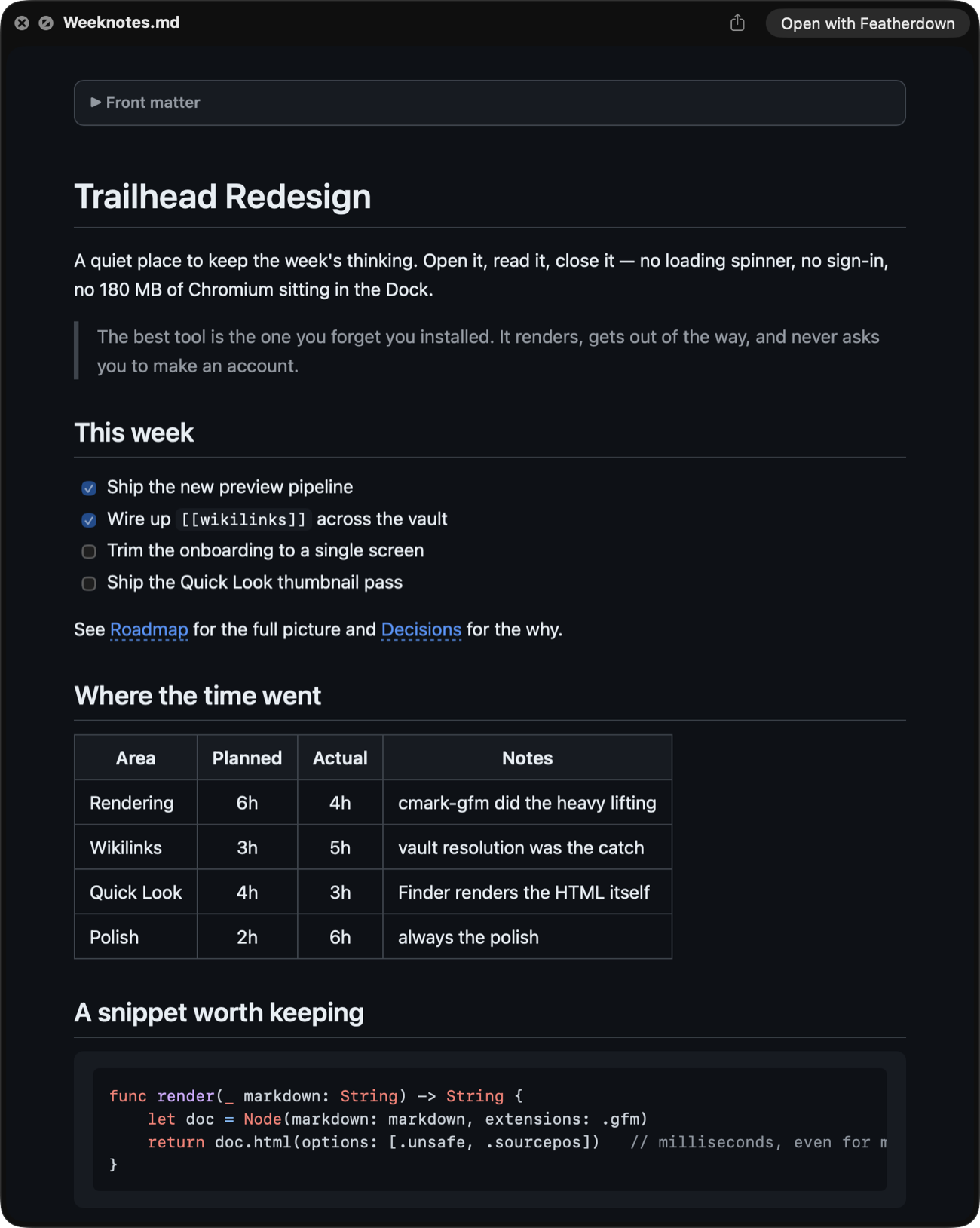
Files open the way you actually read them — rendered. When you need to change something, one keystroke flips to the source, or split the window and watch it update as you type.
A calm reading view with real typography, light and dark following your system. This is what opens when you double-click a note.
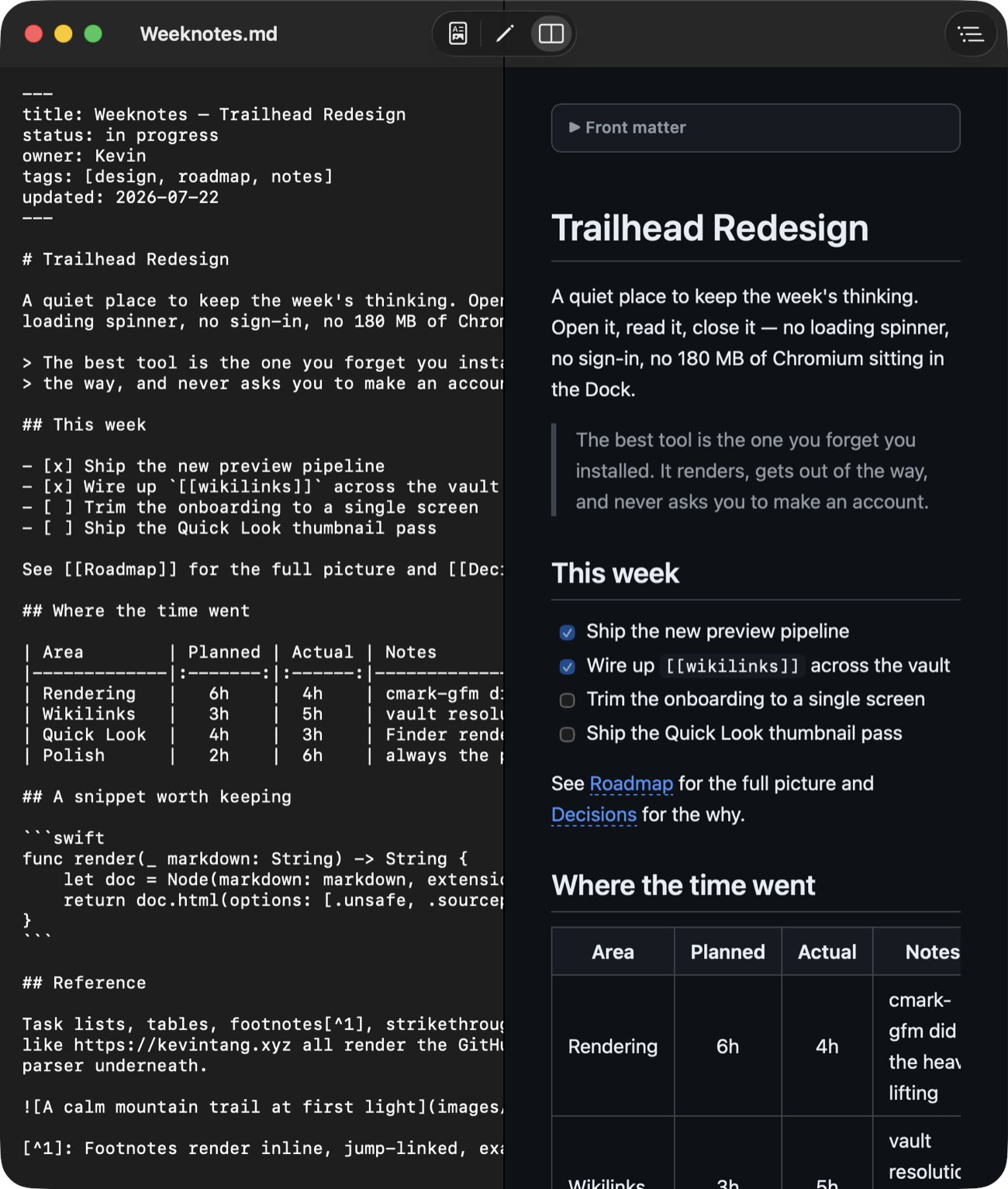
Edit in a monospaced pane on the left while the rendered view updates live on the right — scroll-synced, and it keeps your place.
Featherdown is built for the way people actually keep notes — vaults full of cross-linked Markdown — not just single files.
[[wikilinks]]Double-bracket links resolve across your vault and open in place, with ⌘[ and ⌘] history — just like Obsidian.
That block of title: and tags: at the top collapses into a clean details section instead of shouting at you.
Tables, task lists, footnotes, strikethrough, and autolinks — powered by GitHub's own cmark-gfm parser.
An images/ folder at the vault root still resolves from a note nested three folders deep. It walks up to find them.
Fenced code blocks are highlighted in both the app and the Finder preview, loaded only when a document actually has code.
Make Featherdown the default for .md from Settings — a single button, no Launch Services spelunking.
Most modern Markdown editors bundle an entire copy of Chrome to draw text. Featherdown renders through the Mac's own WebKit, so the whole app is smaller than a phone photo.
| Featherdown | Typical Electron editor | |
|---|---|---|
| Download size | 1.9 MB | 150–250 MB |
| Rendering engine | System WebKit | Bundled Chromium |
| Quick Look in Finder | Yes | No |
| Opens rendered by default | Yes | Usually source-first |
| Obsidian wikilinks | Yes | Varies |
| Price | $12.99 once | $15+ or subscription |
Select any .md file and press the Space bar. Featherdown's Quick Look extension renders the Markdown right in the preview panel — headings, tables, task lists, highlighted code — with an Open with Featherdown button in the corner if you want the full app.
If you mostly read Markdown, yes. Featherdown opens files already rendered, adds a Finder Quick Look preview that most editors don't have, follows Obsidian wikilinks, and is a 1.9 MB download instead of tens or hundreds of megabytes. It's $12.99 one-time — a dollar under Marked 2, without the Chromium payload of the Electron editors.
Yes. It renders [[wikilinks]] and follows them in place, collapses YAML frontmatter into a tidy block, and resolves vault-relative images by walking up parent folders — so a note that points at an images/ folder at the vault root still shows its pictures.
Both. It's viewer-first, but ⌘E flips to a monospaced source editor, and ⌘3 gives you a live split view. There's smart list continuation, ⌘B / ⌘I formatting, a table of contents, find, and export to HTML or PDF.
The download is a 1.9 MB disk image; the installed app is about 3.9 MB. It uses the Mac's own WebKit to render, so there's no bundled browser engine. Universal binary for Apple Silicon and Intel.
Featherdown is sold directly so it can ship a Quick Look extension that reads sibling image files next to your notes — handy for vaults, but outside what App Store sandboxing allows. Buying on Gumroad is what lets it work that way.
One-time. $12.99, yours to keep, no subscription and no account.
macOS 14 (Sonoma) or later. Universal binary, so it runs natively on both Apple Silicon and Intel Macs.
Email martini-doubler7g@icloud.com and I'll get back to you.
Rendered on open, one tap of Space in Finder, fluent in your vault — in under two megabytes. $12.99 once, signed, notarized, universal.
macOS 14+ · universal · v1.0.0 · a 1.9 MB download
 Featherdown